BONDS by IQOS
troubleshooting.
Solve device issues by browsing common issues, FAQs, and more.
BONDS by IQOS
troubleshooting.
Solve device issues by browsing common issues, FAQs, and more.
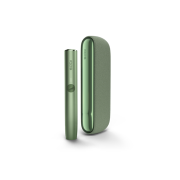
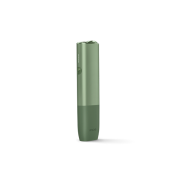
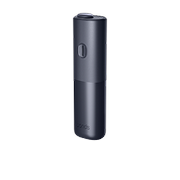

Support for common device issues
Browse the topics below if you have any issues with your device, including charging, resetting your device, unusual lights & patterns and consumable issues.
Charging issues.
If your BONDS 2 by IQOS device is not charging or charging too slowly:
- Check that you’re using a compatible AC power adaptor and charging cable.
- Avoid charging with a laptop or power bank.
- Ensure the USB ports of the device and accessories are clean. Blow gently to clear dust and contamination.
Note:
If the device is plugged in to charge while in cool down mode, the battery will not charge until it’s back within operating temperature range (0-40°C). Give it 4 minutes to cool down.

Resetting your device.
Resetting your BONDS 2 by IQOS can fix software glitches that cause it to slow down or malfunction.
- To reset your BONDS 2 by IQOS device:
- Press the ON/OFF button continuously for 10 seconds and release.
The reset is confirmed when all lights turn back on, blink slowly twice, and ramp up to display the battery status.

Unusual lights & patterns.
Lights show on BONDS 2 by IQOS to alert you to an issue:
- No lights: Turned off or battery depleted.
- Yellow/orange light blinks 3 times: Battery is low.
- Red blinking light: There’s either a device error, which a reset may fix, or the device is charging too slowly.
- All lights blinking white 2 times: Device is outside of operating temperature range (0-40°C). Let it cool down or warm up.
- Lights pulsing up and down: Device is in cool down mode (triggered after 3 consecutive sessions). Give it 4 minutes to cool.

Consumable issues.
BONDS 2 by IQOS is designed to be used only with ROUNDHEAT tobacco sticks. Correctly insert the stick up to the line (filter pointing outward), and avoid moving it during use.
If there’s an issue with taste or aerosol creation, try using a new stick from a sealed box.

Watch video tutorials.
Our bite-sized clips demonstrate how BONDS 2 by IQOS works, so you can quickly get familiar with your device and clearly see how to resolve issues.


BONDS 2 by IQOS user document.
Our BONDS by IQOS user documents are designed to help you understand and properly use your specific model.
You’ll learn about:
- Component names and functions.
- Optimal storage and usage.
- Safety warnings and instructions.
- Warranty coverage.

FAQs.
Every BONDS 2 by IQOS device comes with a 12-month warranty from the date of purchase. That doesn´t need an activation.
If your device is registered, simply check the device details already linked to your profile. You can also reach out to us via online chat, in-store, or phone, and we’ll help you.
No - registration is optional, and you can use the device without registering. Although, registering your BONDS 2 by IQOS device will make the support process easier in case your device develops any malfunction or need a replacement and still is within warranty.
*Since AC Power Adaptor is not supplied, you can either buy an IQOS™ AC Power Adaptor at IQOS™ stores or use a certified AC Power Adaptor (with the safety certification mark) that:
• delivers 10W (2A, 5V)
• Safety Certification Mark is indicated on the power adaptor by by PSE conformity symbol
When a non-compatible Power Adaptor is used, Status Lights blink slowly and charging may take longer than 2h.
USB cable for IQOS Originals DUO is compatible with BONDS™ device

International assistance
Get support whether you're travelling on holiday or for business. We're only ever just a call away.
Find out more