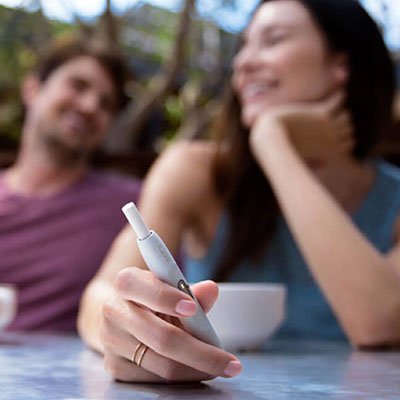
BONDS by IQOS first steps.
A handy introduction to your new device.
BLENDS ROUNDHEAT STICKS™ designed to be used with BONDS by IQOS™.
BONDS 2 by IQOS
first steps.
A handy introduction to your new device.
BLENDS ROUNDHEAT STICKS™ designed to be used with BONDS by IQOS™.
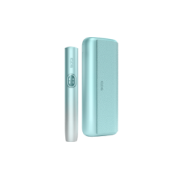
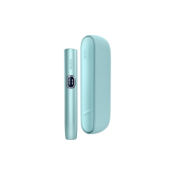
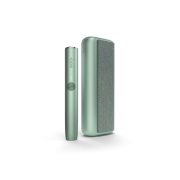
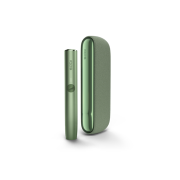
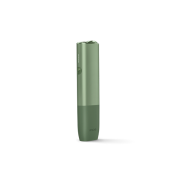
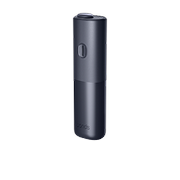
How to use BONDS 2 by IQOS for the first time.

Unbox your device.
- Carefully remove the BONDS 2 by IQOS device from the packaging. You’ll also find the compatible charging cable, User Guide and Safety Warnings and Instructions.
- Ensure you have a compatible AC power adaptor, and ROUNDHEAT sticks on hand. These are sold separately.

Charge the device.
- Plug the device into a wall socket to charge, using compatible charging accessories.
- A full charge takes about 120 minutes.
- Once charged, insert the ROUNDHEAT stick.

Start the experience.
- Press and hold the button to start pre-heating.
- When it vibrates, heating begins.
- When it vibrates again, it’s ready to use.
Note: ROUNDHEAT sticks are not included in the device box. You need to buy ROUNDHEAT sticks separately.
How to charge BONDS 2 by IQOS.
It takes about 120 minutes to fully charge your BONDS 2 by IQOS. For optimal charging, avoid charging with a laptop or power bank and ensure the USB ports are clean.
To charge your device:
- Connect the device to a wall socket using a compatible charging cable and AC power adaptor. At any given time, there's only 1 light flashing white. Any other lights will be solid.
- Leave it to charge. At 100%, all white lights stay on for 3 seconds and then slowly fade out.
Note: The blinking light indicates the level of charge. As the charge level increases, more lights will blink.

How to use ROUNDHEAT sticks.
Only ROUNDHEAT sticks are compatible with your BONDS 2 by IQOS.
How to use ROUNDHEAT sticks:
- Insert the stick up to the line. The filter must point outward.
- Device will vibrate, indicating that heating has begun.
- Wait for the second vibration and fixed light(s) to start puffing.

How to turn on the device.
Press the button for 4 seconds to turn on your BONDS 2 by IQOS. The lights will ramp up, then display the battery status.
Note:
- Press the button for 4 seconds to turn off the device.
- Charging the device will automatically turn on the device.

BONDS 2 by IQOS patterns and features.
- Pre-heating: BONDS 2 by IQOS pre-heats for 30 seconds. It’s ready after the second vibration.
- Cool down mode: After 3 consecutive experiences, the device will need about 4 minutes to cool down before starting another experience. While cooling, lights ramp up and down.
- Experience ending: To signal the last 30 seconds, BONDS 2 by IQOS will vibrate once. The experience ends as soon as the lights turn off.

How to optimise experiences.
Your BONDS 2 by IQOS is designed to provide up to 28 uses from a fully charged device.
Each experience lasts up to 5 minutes.
To get the most out of your experiences:
- Give about 30 seconds for BONDS 2 by IQOS to pre-heat.
- The device is ready for use after the second vibration.
- Pause between puffs so it can heat the tobacco properly.
- Avoid moving the stick during an experience.

Watch and learn.
Our video tutorials demonstrate your BONDS 2 by IQOS features. You’ll see how your BONDS 2 by IQOS works for intuitive use and get to know what it’s telling you at a glance.


BONDS 2 by IQOS user document.
Our BONDS by IQOS user documents are designed to help you understand and properly use your specific model.
You’ll learn about:
- Component names and functions.
- Optimal storage and usage.
- Safety warnings and instructions.
- Warranty coverage.

FAQs.
Every BONDS 2 by IQOS device comes with a 12-month warranty from the date of purchase. That doesn´t need an activation.
If your device is registered, simply check the device details already linked to your profile. You can also reach out to us via online chat, in-store, or phone, and we’ll help you.
No - registration is optional, and you can use the device without registering. Although, registering your BONDS 2 by IQOS device will make the support process easier in case your device develops any malfunction or need a replacement and still is within warranty.
The BONDS 2 by IQOS device does not require a full charge to work, however we recommend to fully charge it before the first use with the supplied charging cable and compatible AC Power Adaptor* for approx. 120 min.
*Since AC Power Adaptor is not supplied, you can either buy an IQOS™ AC Power Adaptor at IQOS™ stores or use a certified AC Power Adaptor (with the safety certification mark) that:
• delivers 10W (2A, 5V)
• Safety Certification Mark is indicated on the power adaptor by by PSE conformity symbol
When a non-compatible Power Adaptor is used, Status Lights blink slowly and charging may take longer than 2h.
USB cable for IQOS Originals DUO is compatible with BONDS™ device