

Troubleshoot your VEEV One
Find the answers to the most common issues.


What to do if my VEEV One™
is leaking e-liquid?
Droplets of liquid that are visible on the mouthpiece of the device may occur during normal use. These droplets must be wiped off with a clean dry cloth before you use the device. Do not use this product if the device appears damaged, tampered with, broken, or leaking. In case of contact with leaking e-liquid from VEEV One, wash the affected area immediately with soap and water.

What to do when LED lights are blinking?
When the light blinks white:
- 1 blink: Your device is turned on
- 2 blinks: Your device stopped working as it is outside of its operating temperature range
- 5 blinks: Your device stopped working temporarily. Waiting the blinking is over to continue using your device.
When the light blinks red, then white:
- 1 blink: your device is turned off
- 3 blinks: low liquid detection. To continue using your device, replace the pod
- 5 blinks: Your device is out of charge. Recharge to continue using your device.
When the light blinks red:
- 4 blinks: Pod malfunctions. Try to re-insert the pod. If the red light stays on, wipe the contacts, if the issue persists continues replace the pod.
- 10 blinks: the device is not working. Please contact customer care.
What should I do if my VEEV One vaping device is not working?
In the event that the LED light blinks red 4 times:
o If the pod malfunctions. Try re-inserting the pod. If the red light stays on wipe the contacts and if the issues continues replace the pod
In the event that the LED light blinks red 10 times it indicates that the device is not working, please contact, Customer Care.
You can contact our Customer Support via: contact.eg@iqos.com
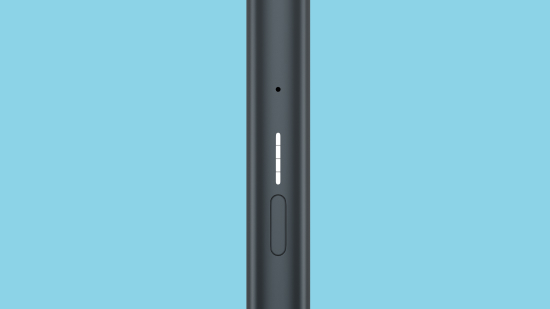

What to do when there are no lights on the device?
When there are no lights on button press, your VEEV ONE might be discharged or you might need to reset it. To perform a reset, press and hold down the ON/OFF button for 10 seconds until status lights fade out. Reset will be confirmed when status lights fade in again and status lights blink white twice.
Got a question
find the answer in our FAQ's.


That's not all.
There's more useful information in our VEEV One User Guide.
Our VEEV One User Guide will let you delve deeper into how your device works and how to use it.
There are several ways you can reach us.

Use our live chat
Need instant assistance? Chat with Adam the AI bot, he can help you with your account, order, products, services, and other topics, available 24/7 to better support you.

Facebook Us
We’re very social on our social media, so feel free to message us with any questions and we’ll get back to you in minutes.

Send us a tweet
Our Twitter account is available every day from 9:00 AM to 12:00 AM. Tweet us your questions and we’ll get back to you in minutes.

Send us an Email
Write to us. Our inbox is never too full.

No question is too small
Your question might have already been asked before. Browse our FAQs to see if there’s an answer waiting for you.

Join Telegram
All IQOS services under one umbrella.