

Your first steps
with VEEV One
Learn everything about your start with VEEV One:
How to use your device properly, as well as tips
and tricks for the best possible experience.


How to use your VEEV One™
for the first time.
- Unbox
Get ready for a new experience with VEEV One™ and make sure you have everything you need before starting: the device, a manufacturer-approved Charging Cable with a certified AC Power Adaptor and your favorite VEEV One™ consumable. - Prepare
Insert the VEEV One pod into your device. Aromatic, with cooling, cooling and crisp and warm: swap your flavours and get ready to enjoy your next experience. - Switch ON
Make sure your VEEV One™ is charged enough to start the experience. - Vape
It’s simple: just start puffing! Take smooth puffs with normal drawing pressure to ensure the ideal vaping experience with VEEV One™.
You can always change the VEEV One™ pod while your device is turned on. - Turn OFF
If VEEV One™ is unused for three seconds, it will automatically go in sleep mode to save battery.
You can manually turn off the device by pressing the ON/OFF button for three seconds until all the status lights fade out.

Tips and Hints
Battery check.
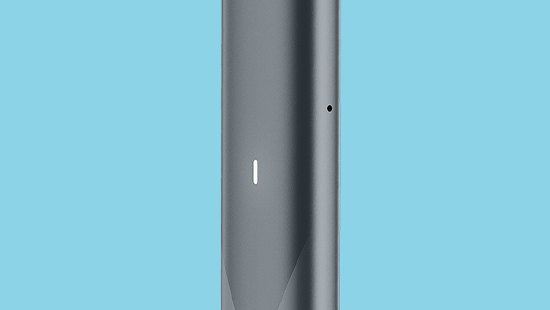
You can easily check the battery level through the LED light.
- If the device has a high light white light intensity the charge is between 50 to 100%.
- When the battery is between 1 - 50% the white light will have a lower intensity. In this case we recommend charging your device.
- When battery is equal or lower than 1%, the LED light blinks red and 5 times white. Your VEEV One device should not be used until it has been recharged.
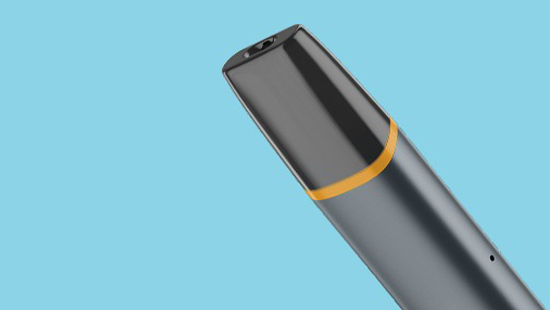
Don’t cover Airflow holes.
To ensure a proper aerosol delivery, air needs to be always able to flow through your device: when puffing, make sure that the two airflow holes, placed on the side of your device, are not occluded by your fingers or any other blockage.
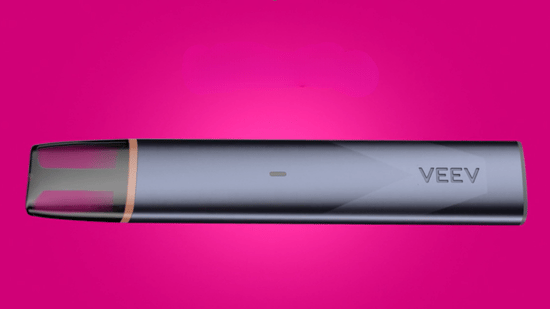
How to change your VEEV One™ pod.
You can easily change the VEEV One™ pod while your VEEV One™ device is turned on, at any time and on the go. When a new VEEV One™ pod is inserted, status lights will turn on slowly to indicate that the device is ready for use. What’s more, there is no flavor aftertaste from one pod to another.
Got a question
find the answer in our FAQ's.


That's not all.
There's more useful information in our VEEV One User Guide.
Our VEEV One User Guide will let you delve deeper into how your device works and how to use it.
There are several ways you can reach us.

Use our live chat
Need instant assistance? Chat with Adam the AI bot, he can help you with your account, order, products, services, and other topics, available 24/7 to better support you.

Facebook Us
We’re very social on our social media, so feel free to message us with any questions and we’ll get back to you in minutes.

Send us a tweet
Our Twitter account is available every day from 9:00 AM to 12:00 AM. Tweet us your questions and we’ll get back to you in minutes.

Send us an Email
Write to us. Our inbox is never too full.

No question is too small
Your question might have already been asked before. Browse our FAQs to see if there’s an answer waiting for you.

Join Telegram
All IQOS services under one umbrella.