

Troubleshoot your IQOS ORIGINALS DUO
Find the answers to the most common issues in this page or try our online diagnostics tool which can help you find a solution in a few easy steps.


No lights on your IQOS ORIGINALS DUO?
Your device might simply be OFF or not charged.
- Place the IQOS ORIGINALS DUO holder inside the pocket charger.
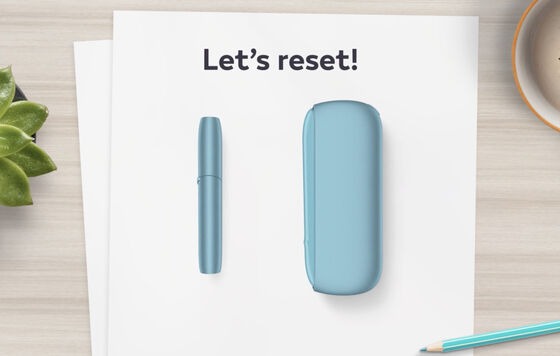
- Press the pocket charger button for 10 seconds to RESET which will also turn ON your device. Watch the tutorial to see how to RESET your device.
- Plug the pocket charger into a wall power outlet with the original IQOS ORIGINALS DUO power adaptor and cable. Always use the original power adaptor and cable and always keep the contacts clean between your holder and pocket charger.
- While your pocket charger is being charged, strip lights will be pulsing. Remember, a pocket charger with depleted battery may take up to 20 minutes to start charging. Watch the tutorial to see how to charge your device and how to clean the contacts.
- Visit the self-diagnostics tool if you need further support.
What do the lights mean on IQOS ORIGINALS DUO?
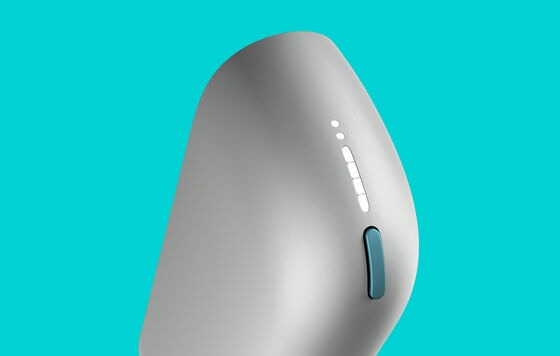
Your device might be warning of an error.
- BLINKING RED LIGHT ON IQOS ORIGINALS DUO DEVICE:
a. Your heating blade might be broken. Check your heating blade and if it is broken, visit self-diagnostics tool.
b. Your holder might not be getting enough charge from your pocket charger. Always use official power adaptor and cable with a power outlet and always clean the contacts between your holder and pocket charger. Visit how to charge your device and how to clean the contacts.
c. Your device might need a RESET. Ensure your holder is inside the pocket charger. Press the pocket charger button for 10 seconds. Watch the tutorial on how to reset your device. - BLINKING WHITE LIGHT ON IQOS ORIGINALS DUO DEVICE:
a. Your device might be outside of the operating temperature range (0°C to 50°C). You may need to let it cool down or warm up in your hands. If this doesn’t resolve your issue, visit self-diagnostics tool. - Visit the article: "What do the lights on my IQOS ORIGINALS DUO mean?"
Is your IQOS ORIGINALS DUO charging too slowly?
Your device might simply not be getting enough charge.
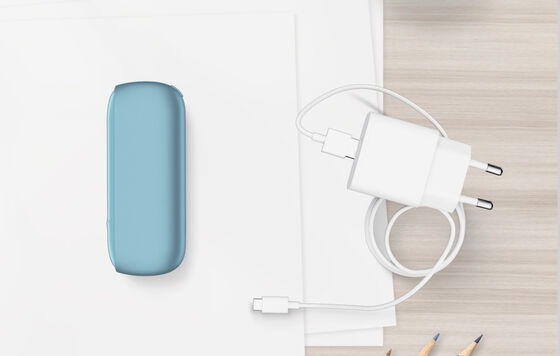
- Always use IQOS ORIGINALS DUO original power adaptor and cable, and use a power outlet. This will ensure your pocket charger is being charged in its designed time. Watch the tutorial to see how to charge your device.
- Always keep the contacts clean between your holder and pocket charger. This will ensure your holder is getting the charge fast enough from your pocket charger. Watch the tutorial to see how to clean the contacts.
Is air not flowing through IQOS ORIGINALS DUO as it should?
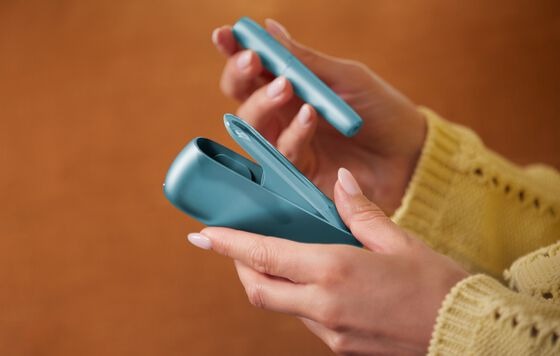
Your IQOS ORIGINALS DUO holder might need a clean.
- Ensure to let your IQOS ORIGINALS DUO holder fully cool down before you start cleaning (at least 30 seconds after the last use).
- Always use the original IQOS cleaning tool and cleaning sticks.
- Refrain from applying too much pressure and touching the heating blade.
- Clean after each pack of HEETS tobacco sticks to savour the taste you like and remember to renew your holder cap every 6 months.
- Visit: "How to clean your device."
We are here to support you
Didn’t find what you are looking for? Did you know?
- Regularly updating the software of your device will help you to maintain the device performance and improve your experience. It may also resolve your issue! Watch the tutorial.

That's not all. There's more useful information in our IQOS ORIGINALS DUO User Guide.
Our IQOS ORIGINALS DUO User Guide will let you delve deep into how your device works and how to use it.
Want to chat?
We’re here for you in-store or at your fingertips. You choose.


