

Troubleshoot your
IQOS ILUMA i ONE
Troubleshoot
your IQOS
ILUMA i ONE


IQOS ILUMA i ONE - lights explanation
Lights Blink Yellow - Battery depleted, need to charge.
Lights Blink White Twice — device is outside operating temperature range (0°C~40°C)
Lights Blinks Red — reset the device.
If red light blinking persists -> please, contact us or visit your nearest IQOS Store for assistance. Find Your Local IQOS Store & Retailer
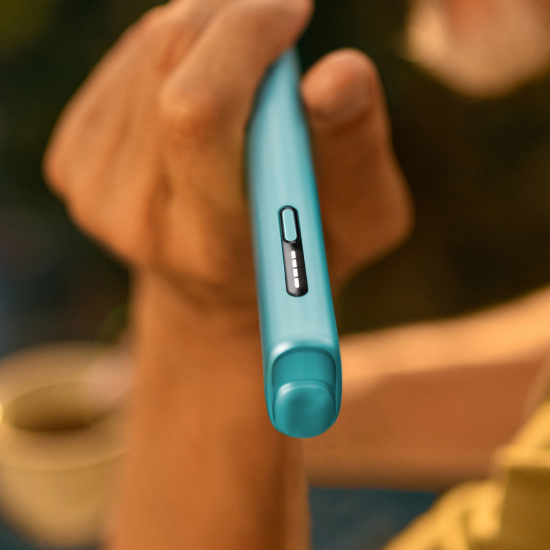
FlexPuff not working
FlexPuff activation and number of puffs depend on individual usage patterns.
Your device will automatically analyze the consumed volume of aerosol and might activate FlexPuff.
Thus, the extended experience might not apply to all adult consumers and/or experiences.
When Pause is used FlexPuff cannot be activated.
If Flexpuff will be activated, then you will be granted with 4 extra puffs, that can be used still within up to 6min experience duration.
Visit your nearest IQOS Kiosk or IQOS Partner store to activate/deactivate this feature.
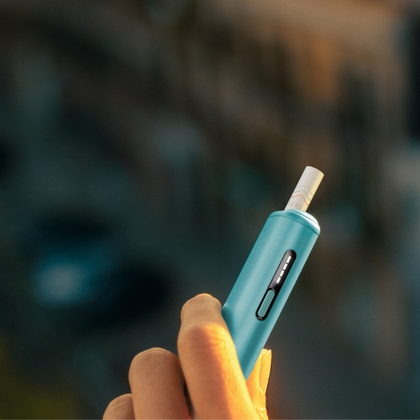
Lights on device on short button press, but unable to chargePause mode is unavailable
Are the lights ON, but the device is not charging? Then the charging ports might need to be cleaned.
- Unplug the device and ensure the charging ports on both the device and the charging cable are dry and clean from contamination.
- Charge your device by using compatible AC power adaptor (sold separately) and cable for approximately 90 min, for full charge. 4 lights will turn solid white and then turn off when it is fully charged. If the device is fully discharged, the light might take few seconds before turning ON.
- In case the lights on the device are on, but unable still to charge, try to perform a reset. Press and hold down the ON/OFF button on the device for 10 seconds continuously. RESET is confirmed when status lights fade in, blink twice fast, ramp up and then the current device charge level will be shown.
Got a question?
Find the answer in our FAQs.
Want to chat?
We're here for you in-store or at your fingertips. You choose.


IQOS ILUMA™ is designed to be used only with SMARTCORE STICKS™.
Do not use IQOS ILUMA™ and SMARTCORE STICKS™ with previous IQOS™ generations, as this may cause damage to your device.
Do not ingest or disassemble SMARTCORE STICKS™. This product contains a sharp metal part which can cause serious injury if swallowed. Keep out of reach of children.
Visit Important information.