30-Sep-2026
What to do if a SMARTCORE STICK™ gets stuck in your IQOS ILUMA i device
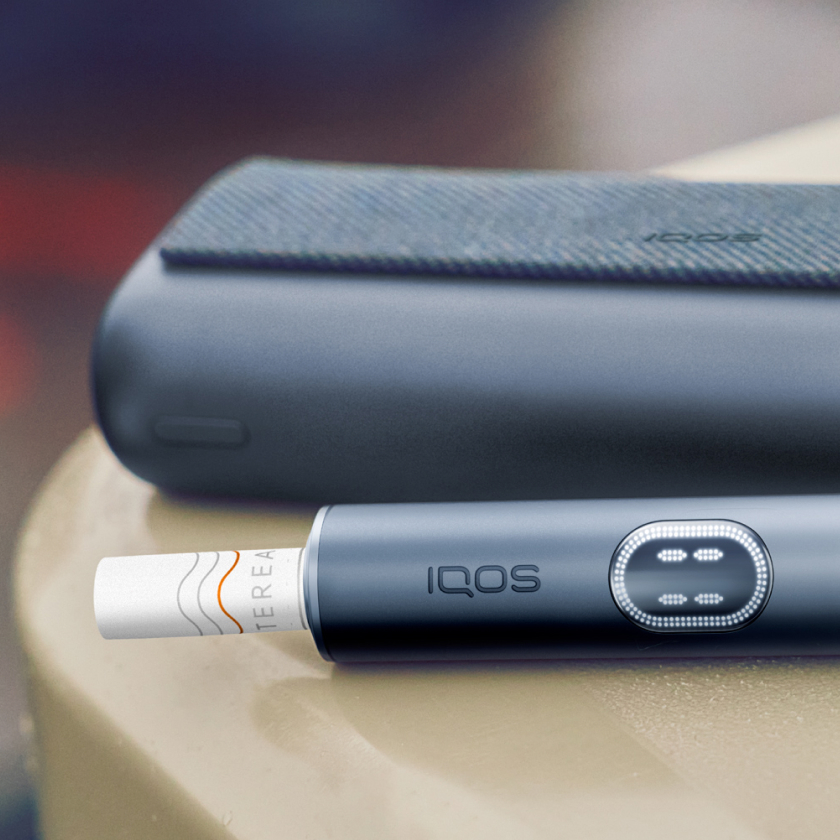
Think of it as the exception, not the norm, yet it’s still a good idea to be prepared anyway.
You can suspect a stick issue in the heating chamber if your IQOS experience is cut short or puffing is hard. Thankfully, it doesn’t mean the device itself is faulty and clearing a stick stuck in IQOS ILUMA with precision is doable.
Note: IQOS ILUMA i PRIME and IQOS ILUMA i devices function in the same way and have the same advanced features, but there are aesthetic differences which set them apart.
The Pocket Charger of the IQOS ILUMA i mid-range device features our original tilt-door design and the Holder has a black Touch Screen, while our top-of-the-range device, IQOS ILUMA i PRIME, has a stylish wrap closure and colour-matched Touch Screen.
How to remove a broken stick from the IQOS ILUMA i device
Okay, so it’s happened and now you’re figuring out how to carefully retrieve a broken stick without compromising your device’s heating chamber. Don’t worry, this IQOS ILUMA i broken stick issue is easily resolved with the right tools on-hand.
To safely remove the IQOS ILUMA i broken stick:
- Turn off your device.
- Allow the Holder and SMARTCORE STICK™ stick to cool down after the last use. (Do not remove the stick while in use.)
- Use 2 fingers to carefully remove the broken stick. If you’re struggling, try using our ILUMA™ Stick Remover tool.
Introducing the ILUMA™ Stick Remover
Our ILUMA™ Stick Remover tool is specifically designed to easily remove a stick stuck in the IQOS ILUMA device, without causing any damage to the inner surface of the device’s heating chamber.
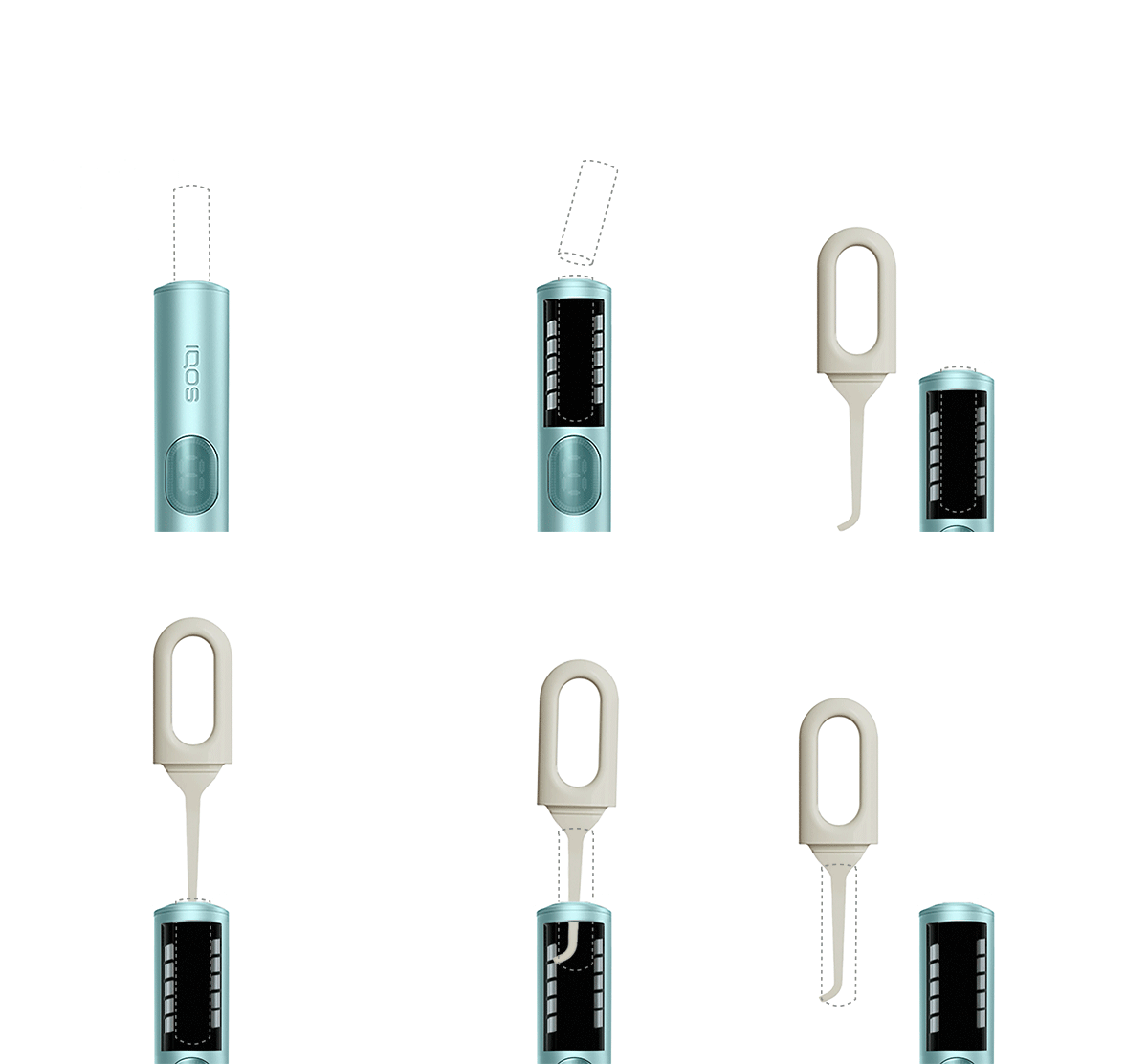
How to remove a broken stick using the ILUMA™ Stick Remover tool
Stick stuck in IQOS ILUMA device? Grab your ILUMA™ Stick Remover tool, move into a well-lit area, and follow these instructions:
- Ensure your device is switched off and all parts have cooled down.
- Remove the cap and the hook of the ILUMA™ Stick Remover.
- Carefully insert the tool into the Holder until the top part of the tool touches the Holder ring. Exerting force can damage the internal surfaces within.
- Rotate the ILUMA™ Stick Remover (1/4 turn) and carefully pull out to extract the broken SMARTCORE STICK™.
- Make sure there’s no debris left at the bottom of the heating chamber. Use a light to see better.
Important: The Holder ring should not be removed when the ILUMA™ Stick Remover tool is being used, to prevent potential scratching of the heating chamber.
Usage tips to prevent sticks from breaking and getting stuck
Here’s what you must always do:
- Ensure you’re using SMARTCORE STICKS™, specifically designed for IQOS ILUMA devices. Non-compatible ones will damage your device.
- Store SMARTCORE STICKS™ in a cool place, out of direct sunlight and away from humidity, so that the quality of the product is preserved, and sticks stay fresh.
- Be sure to use a new stick for each session, and don’t accidentally reuse it.
- Check that the stick is inserted correctly in the right direction, with the mouthpiece line just above the top of the Holder.
- Make sure the curved line on the filter is pointing out.
- Avoid putting excessive pressure on the SMARTCORE STICK™ to prevent it from getting stuck in the device.
Still having issues with removing a stuck or broken stick? Start online troubleshooting
Do not ingest or disassemble SMARTCORE STICKS™. This product contains a sharp metal part which can cause serious injury if swallowed. Keep out of reach of children Read more information
This product is not risk-free and provides nicotine, which is addictive. Only for
use by adults.
Useful information
What Touch Screen signs on IQOS ILUMA i PRIME mean
How to fix IQOS ILUMA i PRIME Pause Mode issues
Was this article helpful?
- Yes
- No