30-Sep-2026
Illuminating insight: Discover the meaning of IQOS ILUMA i ONE lights
Your IQOS ILUMA i ONE communicates with you through the light patterns it displays. For a smooth experience and intuitive usage of your device, it’s crucial that you get to know what the different lights on IQOS ILUMA i ONE mean and what they’re telling you about its status. Let’s delve into the types of IQOS ILUMA i ONE lights and the actions you must take to resolve the issues they’re signalling.
Types of lights on IQOS ILUMA i ONE
Unlike the 2-piece devices in our latest IQOS ILUMA i range which feature an LED Touch Screen and round Holder lights on the Pocket Charger, your all-in-one IQOS ILUMA i ONE device has 4 strip lights only.
These lights indicate the level of battery charge, but they’ll also flash in different colours and sequences if there’s an issue. Usually, any errors can be easily fixed, but first, you must understand what the light codes mean, so that you can identify the issue you’re facing and then take the appropriate troubleshooting steps.
IQOS ILUMA i ONE status lights to look out for
You can use the strip lights to check the charge level on your IQOS ILUMA i ONE device:
· 4 LEDs = more than 75% charged
· 1 LED = less than 25% charged
· 1 LED yellow/orange, triple blink = battery depleted. Need to charge.
Note: Sometimes your device won’t turn on at all and has no lights, which means it’s turned off or the battery is discharged.
Meaning of IQOS ILUMA i ONE lights issues and solutions
Here are the different IQOS ILUMA i ONE lights patterns you may see, their possible causes, and the action you must take to make them stop.
IQOS ILUMA i ONE white light
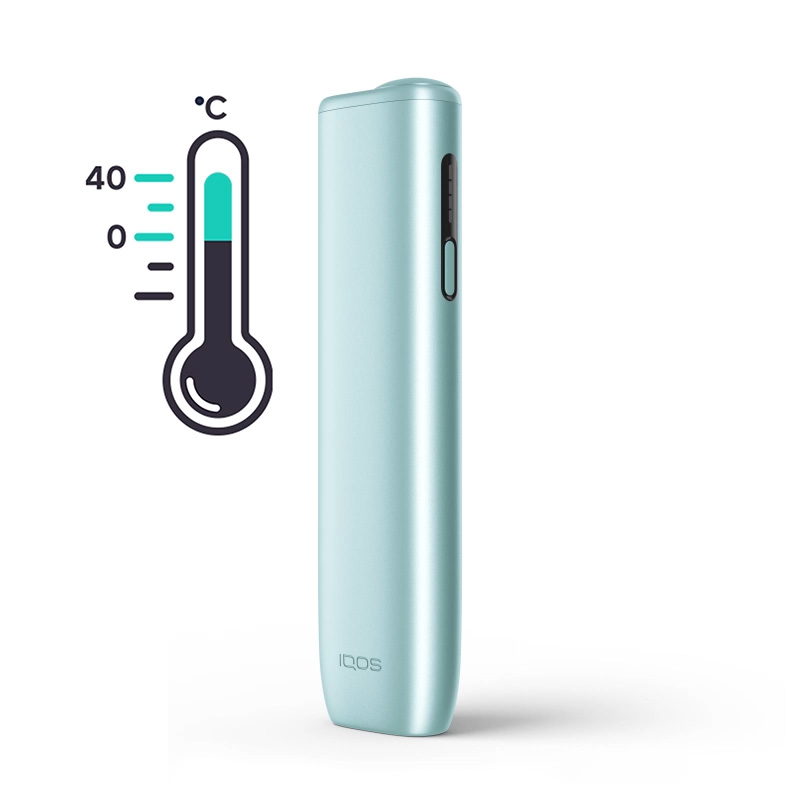
- All lights blinking white
Possible cause:
Your device may have been exposed to temperatures outside of its normal operating range (0°C and 40°C).
Action to take:
If your device was exposed to very hot or very cold temperatures, allow it to reach room temperature before using it, and do not place it near a heat source.
- Top and bottom light flashing white
Possible causes:
Your IQOS ILUMA i ONE may be locked because the ‘Device lock’ feature is active. You may see this pattern on short button press when trying to start an experience.
Actions to take:
1. Open the IQOS app and select your IQOS ILUMA i ONE device.
2. Go to ‘Device settings’ > ‘Lock device’.
3. Deactivate ‘Device lock’ by toggling the switch to the off position.
IQOS ILUMA i ONE red light
- Blinking red light
Possible causes:
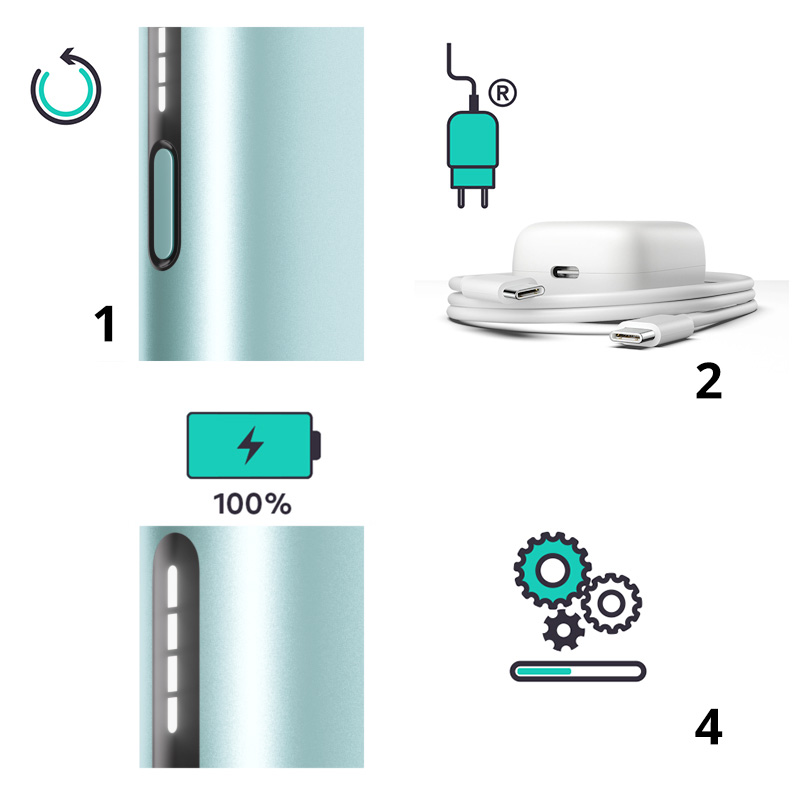
· Charging is interrupted because the charging ports are dirty.
· Charging is slow because you’re using an incompatible AC power adaptor or charging cable.
· The device is in close proximity to a magnet, which affects calibration.
· Your device may need a reset.
· A firmware update may have failed.
Actions to take:
· Clean the charging ports by blowing gently from a distance.
· Swap out your current charging accessories with a compatible AC power adaptor and charging cable. Buy charging accessories
· Make sure the device is not placed on or near a magnet-containing item.
· Reset the device by pressing the button continuously for 10 seconds. How to reset a device
· Check if your device is running on the latest firmware. How to upgrade firmware
Note: When resetting your IQOS ILUMA i ONE device, all status lights will turn off, blink twice, and turn on again.
IQOS ILUMA i ONE yellow light
- Blinking yellow light
Possible causes:
Your device’s battery is running low.
Action to take:
Plug your device into a wall socket to charge, using a compatible AC power adaptor and charging cable.
Note:
· 15 minutes of charge time should be enough for the yellow light to turn white, indicating that it’s at least 25% charged.
· A full charge takes about 90 minutes.
The various light patterns you may see now and then are purposely programmed to help you stay in tune with your IQOS ILUMA i ONE device. Now that you’re enlightened about the IQOS ILUMA i ONE lights meaning, you’ll be able to easily spot the issue at a glance—from outdated firmware and slow charging to low battery power and other easy-to-fix issues that affect your device’s performance— and turn the lights off with confidence.
If you’ve worked your way through the suggested actions to fix your IQOS ILUMA i ONE lights issue, but the lights are still showing, start online troubleshooting now.
This product is not risk-free and provides nicotine, which is addictive. Only for use by adults.
Useful information
How to resolve IQOS ILUMA i charging issues
Get to know IQOS warranty services
Was this article helpful?
- Yes
- No