Skip To Main
  • Shop
    • All products
      NEW IQOS ILUMA i Electric Purple
      NEW IQOS ILUMA i Electric Purple More than just a colour. Learn more ➜
    • IQOS ILUMA Series Next level tobacco heating devices.
      • IQOS ILUMA i PRIME Most refined and advanced
        IQOS ILUMA i PRIME Pocket Charger and Holder.
      • IQOS ILUMA i Familiar design. Enhanced experience.
        IQOS ILUMA i Pocket Charger and Holder.
      • IQOS ILUMA i ONE Pocket size. All-in-one design.
        IQOS ILUMA i ONE.
      • IQOS ILUMA technology
      • IQOS ILUMA Accessories
      • Compare IQOS ILUMA devices
      NEW IQOS ILUMA i Electric Purple
      NEW IQOS ILUMA i Electric Purple More than just a colour. Learn more ➜
    • lil SOLID Series Easy-to-use, all-in-one device.
      • lil SOLID Ez
        Rose Gold lil SOLID Ez device
      • lil SOLID Ez Accessories
      Hand holding a gold lil SOLID Ez
      Discover lil SOLID Ez. Click here to learn more about its unique pin-heating technology and more features. Proudly simple. ➜
    • Online Exclusive
    • Discover all devices
    • Compare devices
    • Important information
  • Discover IQOS
    • Discover IQOS What is IQOS?
      Forever Curious
      THE CHOICE IS YOURS TO EXPLORE Discover IQOS now.
    • IQOS Heated Tobacco Advanced technology, real progress.
    • Benefits of IQOS Key reasons to switch.
    • News and events
    • Special Deals
  • Services & Privileges
    • Discover Our Services & Privileges
    • Experience IQOS
    • Get support
    • Enjoy privileges
  • Referral program
iqos Logo
  • Important information
  • Get support
  • Store Locator
  • 562C2D68-971C-429B-AA1D-B87DA05127F8
  • Shop
    • Shop
    • All products
    • IQOS ILUMA Series Next level tobacco heating devices.
      • IQOS ILUMA Series
      • IQOS ILUMA i PRIME Most refined and advanced
        IQOS ILUMA i PRIME Pocket Charger and Holder.
      • IQOS ILUMA i Familiar design. Enhanced experience.
        IQOS ILUMA i Pocket Charger and Holder.
      • IQOS ILUMA i ONE Pocket size. All-in-one design.
        IQOS ILUMA i ONE.
      • IQOS ILUMA technology
      • IQOS ILUMA Accessories
      • Compare IQOS ILUMA devices
      NEW IQOS ILUMA i Electric Purple
      NEW IQOS ILUMA i Electric Purple More than just a colour. Learn more ➜
    • lil SOLID Series Easy-to-use, all-in-one device.
      • lil SOLID Series
      • lil SOLID Ez
        Rose Gold lil SOLID Ez device
      • lil SOLID Ez Accessories
      Hand holding a gold lil SOLID Ez
      Discover lil SOLID Ez. Click here to learn more about its unique pin-heating technology and more features. Proudly simple. ➜
    • Online Exclusive
    • Discover all devices
    • Compare devices
    • Important information
    NEW IQOS ILUMA i Electric Purple
    NEW IQOS ILUMA i Electric Purple More than just a colour. Learn more ➜
  • Discover IQOS
    • Discover IQOS
    • Discover IQOS What is IQOS?
    • IQOS Heated Tobacco Advanced technology, real progress.
    • Benefits of IQOS Key reasons to switch.
    • News and events
    • Special Deals
    Forever Curious
    THE CHOICE IS YOURS TO EXPLORE Discover IQOS now.
  • Services & Privileges
    • Services & Privileges
    • Discover Our Services & Privileges
    • Experience IQOS
    • Get support
    • Enjoy privileges
  • Referral program
  • My Account
  • Important information
  • Get support
  • Store Locator
  • My Account
  • Bahasa Melayu
  • English
iqos Logo
562C2D68-971C-429B-AA1D-B87DA05127F8

We are very sorry that you are having issues with your device
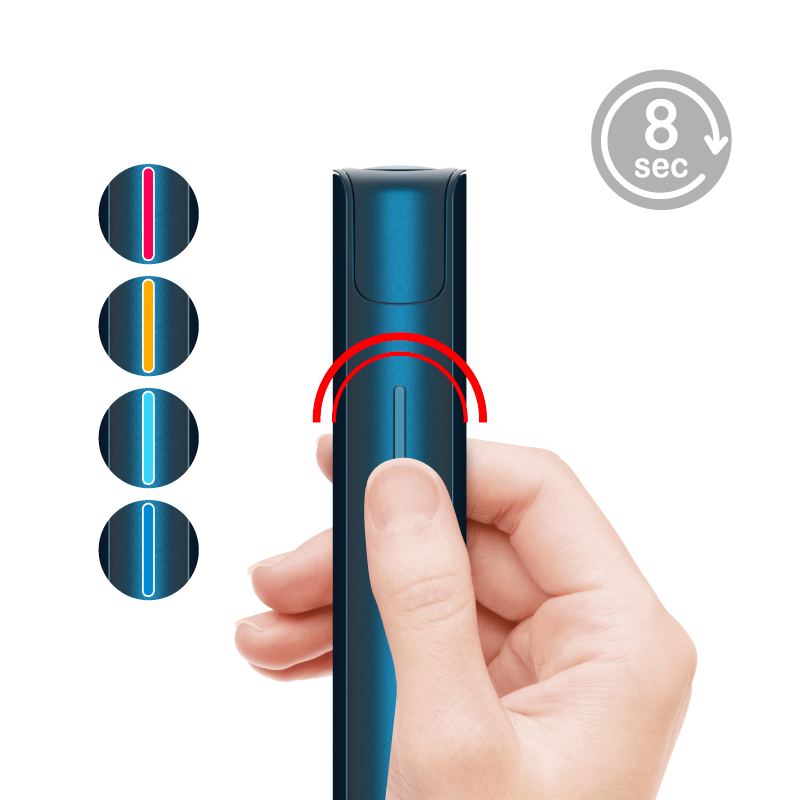
    Light pattern to confirm RESET

    Lets try the following steps:

    1.RESET: press the button for 8 seconds. Keep pressing the button even if the device vibrates after 2 seconds, the RESET is confirmed when the State LED blinks twice in red, orange, ice blue and blue, sequentially.

    2.THERMAL CLEANING: Press the button 5 times / within 2 sec. The status LED will blink with orange color for 90 seconds, indicating thermal cleaning. After thermal cleaning, let the device cool down for more than 5 minutes before moving to next step.

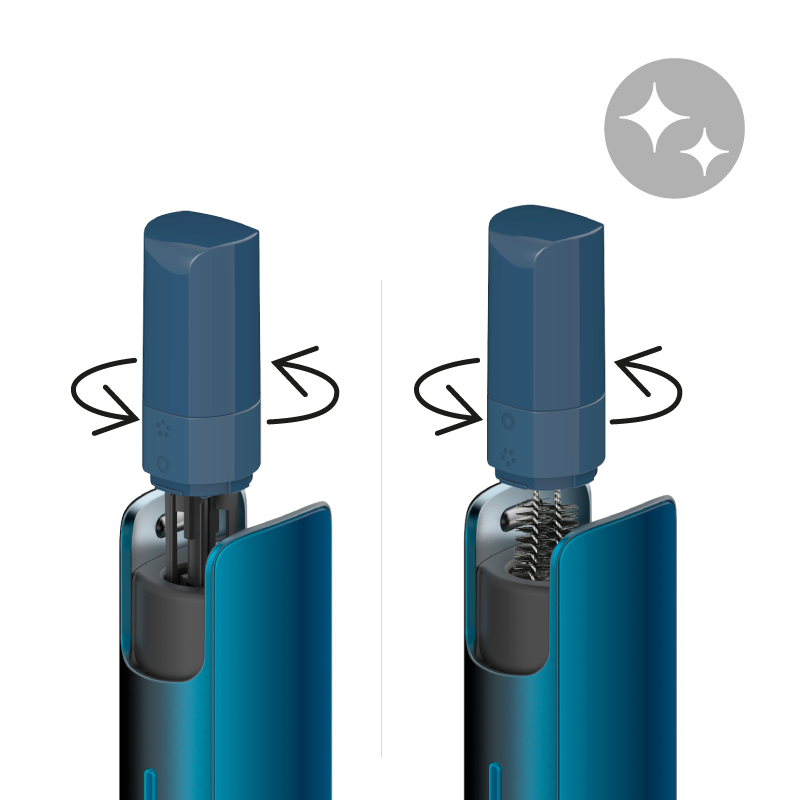
    3.CLEANING: clean the device with the Dual Cleaner provided in the kit. Please make sure the device is not activated before cleaning.  Don't clean the device right after device usage or thermal cleaning.

    Further considerations:

    If the device comes into contact with water or if other types of liquid are used for cleaning and get into the device, it may cause device malfunction. If liquid got into the device due to the consumer's fault, it is not subject to warranty and the device will not be replaced.

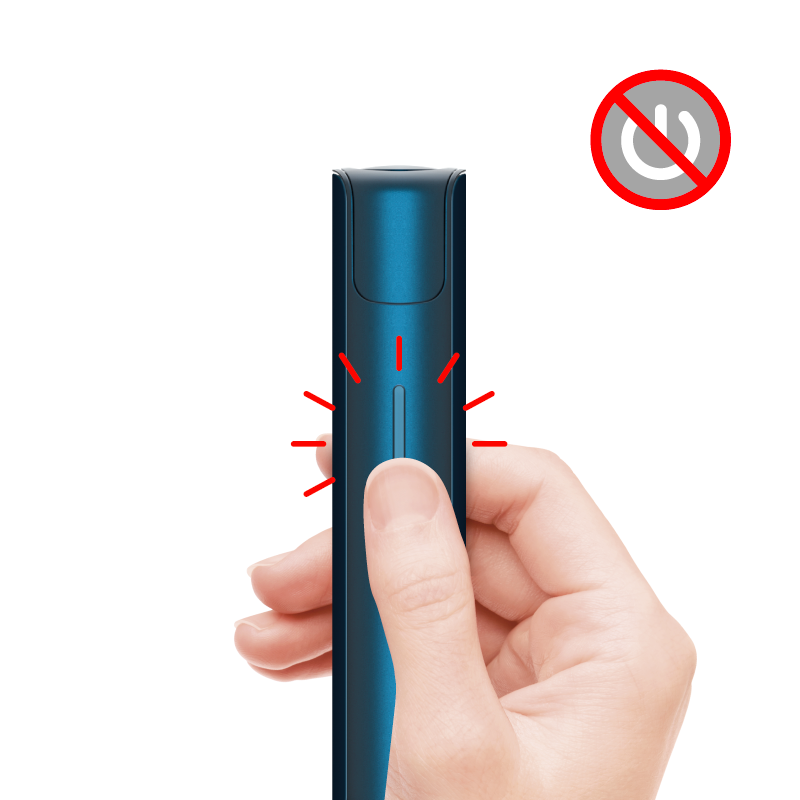
    • If the red light turns on for 3 seconds and the device vibrates 3 times, it just indicates a low battery level (needs charging).

    • When charging the device, please use the adaptor and cable designed for lil devices located in the kit. If different adaptor and cable are used for charging, it may cause charging malfunction.
After these steps, is your lil SOLID 2.0 working properly?
YES NO

Thank You

FINISH

We are very sorry that you are having issues with your device

Do you want to proceed to the eligibility check?

Do you want to proceed to eligibility check?

Click “Start” and login, select or add the correct device, and proceed with diagnostics.

START

We are very sorry that you are having issues with your device

    No light pattern after button press

    Lets try the following steps:

    1. SHIP MODE: Under the below conditions, the device may be in ship mode. The following circumstances activate this ship mode.
      1. Device has been in “ship mode” and needs to be waken up for the first use after purchase
      2. Device hasn't been charged for the last 24 hours when the LED is red
      3. Device hasn't been used for the last 7 days
      4. Once charged in step 2 press the button for 2 seconds to deactivate the ship mode.
    2. CHARGING: The LED may turn off if the battery is low. Please charge the device (2 hours ). When charging the device, please use the adaptor and cable designed for lil device in the kit. If different adaptor and cable are used for charging, it may cause charging malfunction or other types of device issues such as prolonged charging times.

    * If the device comes into contact with water or if other types of liquid are used for cleaning and get into the device, it may cause device malfunction. If liquid got into the device due to the consumer's fault, it is not subject to warranty and the device will not be replaced.

After these steps, is your lil SOLID 2.0 working properly?
YES NO

Thank You

FINISH

We are very sorry that you are having issues with your device

Do you want to proceed to the eligibility check?

Do you want to proceed to eligibility check?

Click “Start” and login, select or add the correct device, and proceed with diagnostics.

START

We are very sorry that you are having issues with your device

    Lets try the following steps:

    1. 3 SESSIONS in a row: The device cannot be used more than 3 times within 18 minutes as it needs to cool down. After 3 consecutive sessions the device will cool down automatically. It will take 3 minutes 30 seconds before you can have another session.
    2. CLEANING: If you keep using the device without removing the foreign substance inside, the residue on the pin can cause a lingering smell. Please make sure to always clean the device after the device cools down. Residual tobacco can cause lingering smell and effect the overall experience.
    3. RESET: press the button for 8 seconds. Keep pressing the button even if the device vibrates after 2 seconds, the RESET is confirmed when the State LED blinks twice in red, orange, ice blue and blue, sequentially.

    Further considerations:

    * If the device comes into contact with water or if other types of liquid are used for cleaning and get into the device, it may cause device malfunction. If liquid got into the device due to the consumer's fault, it is not subject to warranty and the device will not be replaced.

After these steps, is your lil SOLID 2.0 working properly?
YES NO

Thank You

FINISH

We are very sorry that you are having issues with your device

Do you want to proceed to the eligibility check?

Do you want to proceed to eligibility check?

Click “Start” and login, select or add the correct device, and proceed with diagnostics.

START

We are very sorry that you are having issues with your device

    Lets try the following steps:

    1. WARM SENSATION: You may sense some degree of heat while using or charging the device. Warm sensation may be more pertinent if the device is used with consecutive uses. Please let your device cool down before trying to use your device again.
    2. CLEANING: If you keep using the device without removing the foreign substance inside, the residue on the pin can cause a lingering smell. Please make sure to always clean the device after the device cools down. Residual tobacco can cause lingering smell and effect the overall experience.
    3. RESET: press the button for 8 seconds. Keep pressing the button even if the device vibrates after 2 seconds, the RESET is confirmed when the State LED blinks twice in red, orange, ice blue and blue, sequentially. 

    •       If the device comes into contact with water or if other types of liquid are used for cleaning and get into the device, it may cause device malfunction. If liquid got into the device due to the consumer's fault, it is not subject to warranty and the device will not be replaced.

    •       Please store in dry, conditioned premises, temperature regime: from 5 °C to 30 °C relative humidity less than 70%.

    •       The operating temperatures for lil Solid 2.0:

    •       For charging ranges from 0°C to 42°C

    •       For discharging/puffing ranges from 20°C to 58°C

    •       When charging the device, please only use the adaptor and cable designed for lil device in the kit. If different adaptor and cable are used for charging, it may cause charging malfunction. Clean the charging port (where the cable is plugged in).
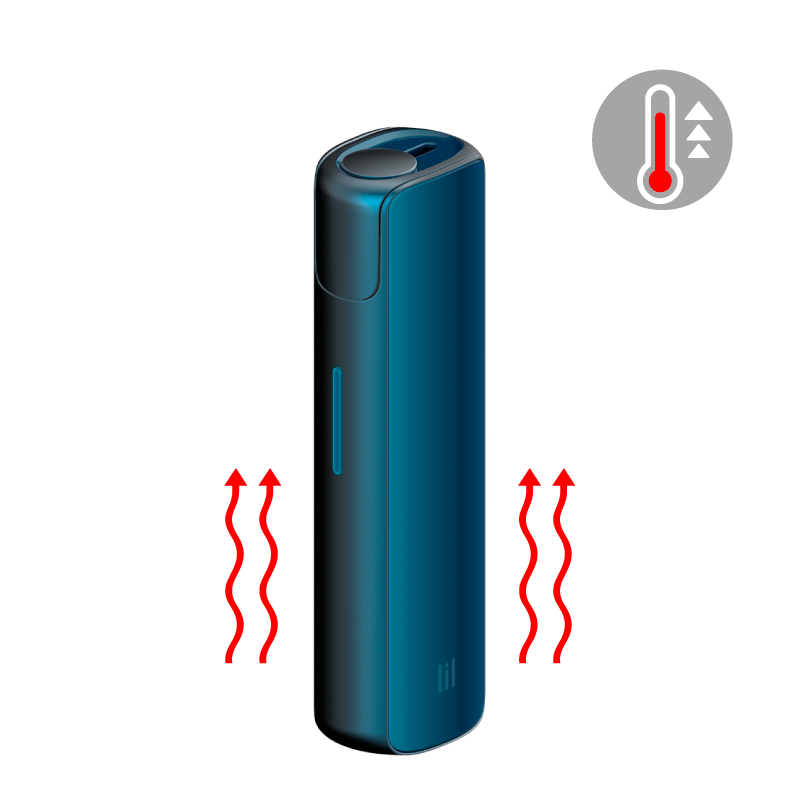
    •       Don't clean the device right after device heating or thermal cleaning. The cleaning tools can be melted and stick to the heater. If you keep using the device without removing the foreign substance inside, it may cause overheating. Please make sure to always clean the device after the device cools down.

After these steps, is your lil SOLID 2.0 working properly?
YES NO

Thank You

FINISH

We are very sorry that you are having issues with your device

Do you want to proceed to the eligibility check?

Do you want to proceed to eligibility check?

Click “Start” and login, select or add the correct device, and proceed with diagnostics.

START

We are very sorry that you are having issues with your device

    Lets try the following steps:

    1. RESET: press the button for 8 seconds. Keep pressing the button even if the device vibrates after 2 seconds, the reset is confirmed when the State LED blinks twice in red, orange, ice blue and blue, sequentially.
    2. THERMAL CLEANING: Press the button 5 times / within 2 sec. The status LED will blink with orange color for 90 seconds, indicating thermal cleaning. After thermal cleaning, let the device cool down for 5 min before step 3.
    3. CLEANING: Clean the device with the Dual Cleaner provided in the kit. (Please make sure to turn off the device before cleaning.  Don't clean the device right after device heating or thermal cleaning. The cleaning tools can be melted and stick to the heater. Please clean the device after the device cools down)
    4. STICK ISSUE:

    •       Experience duration:  5 minutes, or 14 puffs whichever comes first

    •       Pre-heating: During the initial 25 seconds the device is preheating and not ready to generate vapor

    •       Vapor quantity: The amount of vapor may vary depending on puffing pattern and the level of cleanliness of the device. Device with differences in the amount of vapor are not subject to warranty replacement.


After these steps, is the lil SOLID 2.0 working properly?
OK

We are very sorry that you are having issues with your device

    Lets try the following steps:

    TEST DURATION: Start the device without a stick, and check if the LED turns on or blinks for 5 minutes with ice blue color.

    •        Experience duration:  5 minutes, or 14 puffs whichever comes first

    •       Pre-heating: During the initial 25 seconds the device is preheating and not ready to generate vapor

    •       Vapor quantity: The amount of vapor may vary depending on puffing pattern and the level of cleanliness of the device. Device with differences in the amount of vapor are not subject to warranty replacement.

Is the lil SOLID 2.0 working properly?
YES NO

Thank You

FINISH

We are very sorry that you are having issues with your device

Do you want to proceed to the eligibility check?

Do you want to proceed to eligibility check?

Click “Start” and login, select or add the correct device, and proceed with diagnostics.

START

We are very sorry that you are having issues with your device

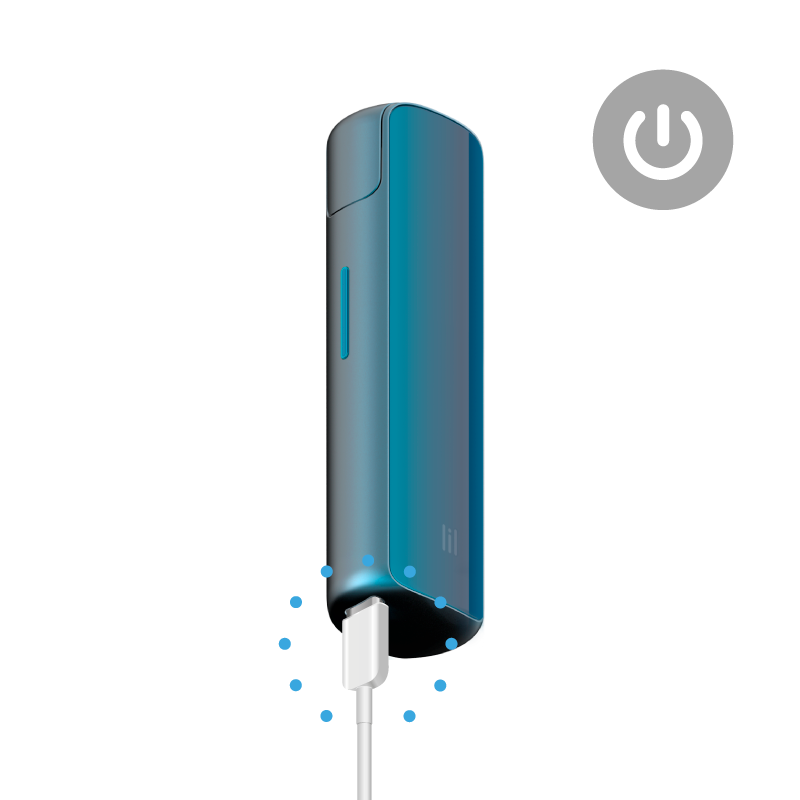
    Connect the device to an adaptor and disconnect it.

    Lets try the following steps:

    1. CHARGING: It takes about 2 hours for the discharged device to be fully charged. The LED will blink during charging, and the LED will turn off upon completion of charging. Please check if the LED works by pressing the button.
    2. PROPER CHARGING: When charging the device, please only use the adaptor and cable designed for lil SOLID 2.0 device in the kit. If different adaptor and cable are used for charging, it may cause charging malfunction or other types of device issues such as prolonged charging times.
    3. RESET: press the button for 8 seconds. Keep pressing the button even if the device vibrates after 2 seconds, the reset is confirmed when the State LED blinks twice in red, orange, ice blue and blue, sequentially.

    •       Clean the charging port (where the cable is plugged in). Damage in the charging port, entry of foreign substance and water into the charging port may cause faulty charging or overheating.

    •       Please check if the adaptor and cable designed for the lil SOLID 2.0 device are damaged. 

    Further considerations

    •       If the device comes into contact with water or if other types of liquid are used for cleaning and get into the device, it may cause device malfunction. If liquid got into the device due to the consumer's fault, it is not subject to warranty and the device will not be replaced.

After these steps, is your lil SOLID 2.0 working properly?
YES NO

Thank You

FINISH

We are very sorry that you are having issues with your device

Do you want to proceed to the eligibility check?

Do you want to proceed to eligibility check?

Click “Start” and login, select or add the correct device, and proceed with diagnostics.

START

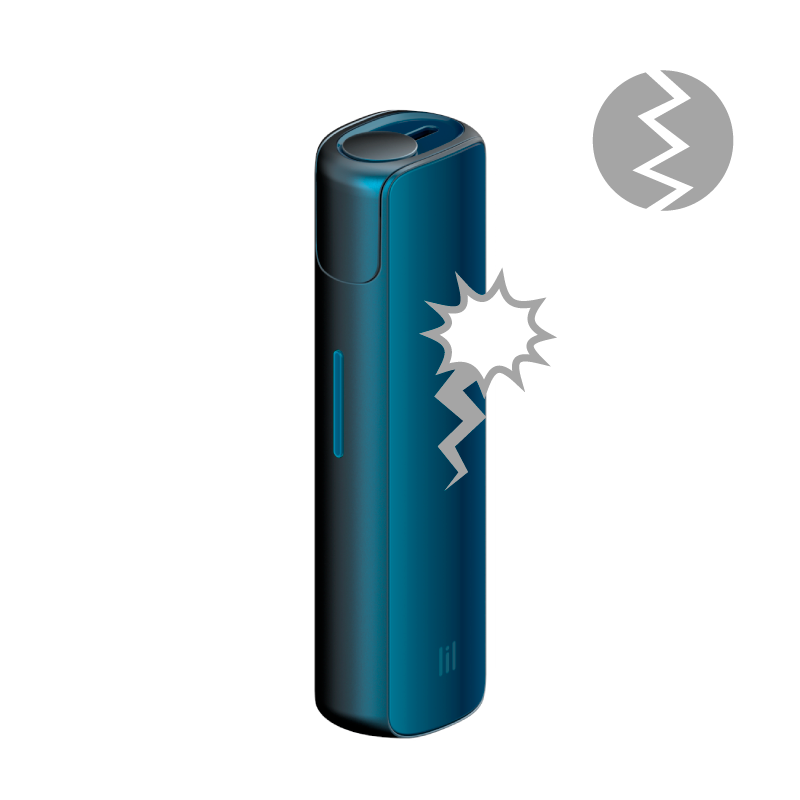
We are sorry your lil SOLID 2.0 got damaged.

    Lets try the following steps:

    * There may be tobacco residue inside the stick insertion part. Let's try the following steps.

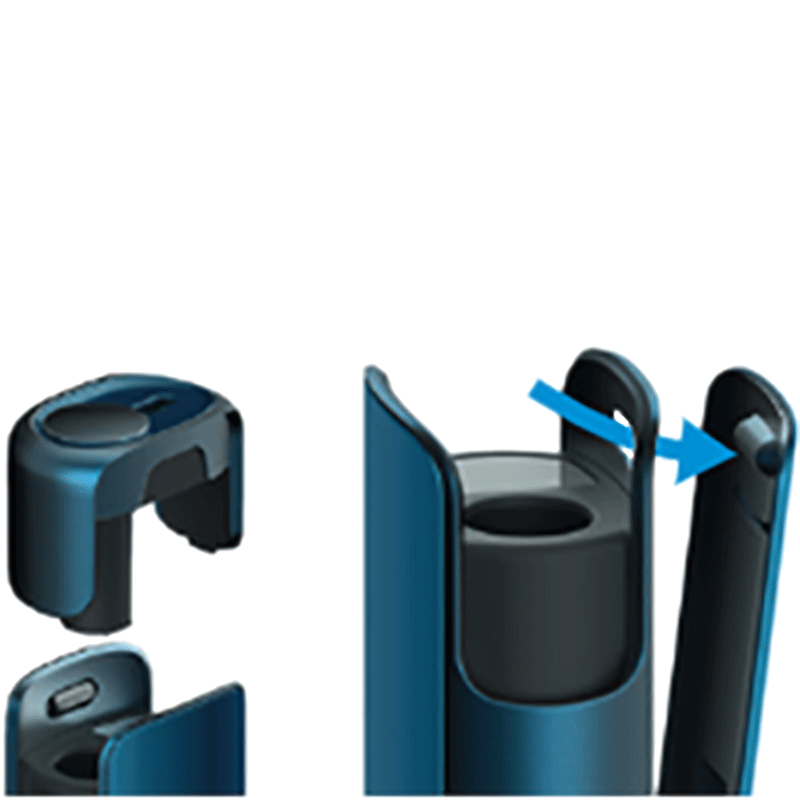
    1. CLEANING: clean the device with the Dual Cleaner provided in the kit. Turn off the device. Take the cap off the device and remove the residue in the cap and stick insertion part. (Please make sure to turn off the device before cleaning.  Don't clean the device right after device heating or thermal cleaning. The Dual Cleaner can melt and stick to the heater if you do clean the device without letting the device cool down)
    2. CHECK: Put the cap back on and check if the device works.
    3. THERMAL CLEANING: Press the button 5 times / within 2 sec. The status LED will blink with orange color for 90 seconds, indicating thermal cleaning. (After thermal cleaning, let the device cool down for more than 5 minutes before moving to next step)

    Further considerations

    Damages associated with the side plates or the cap can be solved by replacing them. 

    Exterior damage (scratched, dented, broken, cracked, discolored) or damage that occurs naturally due to the use of the device is not subject warranty and the device will not be replaced. 


Is your device still functioning?
YES NO

Not covered

    Bluetooth connection issues, cosmetic damages (such as scratches, dents, broken plastic, hairline cracks, discoloration), damage or failure caused by normal wear and tear of your device are excluded from voluntary warranty and accidental damage coverage.

    If you wish to reach a customer service representative, visit “contact us” page to choose the channel of your preference.

    IQOS CUSTOMER CARE

OK

Not covered

    Bluetooth connection issues, cosmetic damages (such as scratches, dents, broken plastic, hairline cracks, discoloration), damage or failure caused by normal wear and tear of your device are excluded from voluntary warranty and accidental damage coverage.

    If you wish to reach a customer service representative, visit “contact us” page to choose the channel of your preference.

    IQOS CUSTOMER CARE

OK

We are very sorry that you are having issues with your device

    Lets try the following steps:

    1. CHARGING: It takes about 2 hours for the discharged device to be fully charged. The LED will blink during charging, and the LED will turn off upon completion of charging. Please check if the LED works by pressing the button.
    2. RESET: press the button for 8 seconds. Keep pressing the button even if the device vibrates after 2 seconds, the reset is confirmed when the State LED blinks twice in red, orange, ice blue and blue, sequentially.
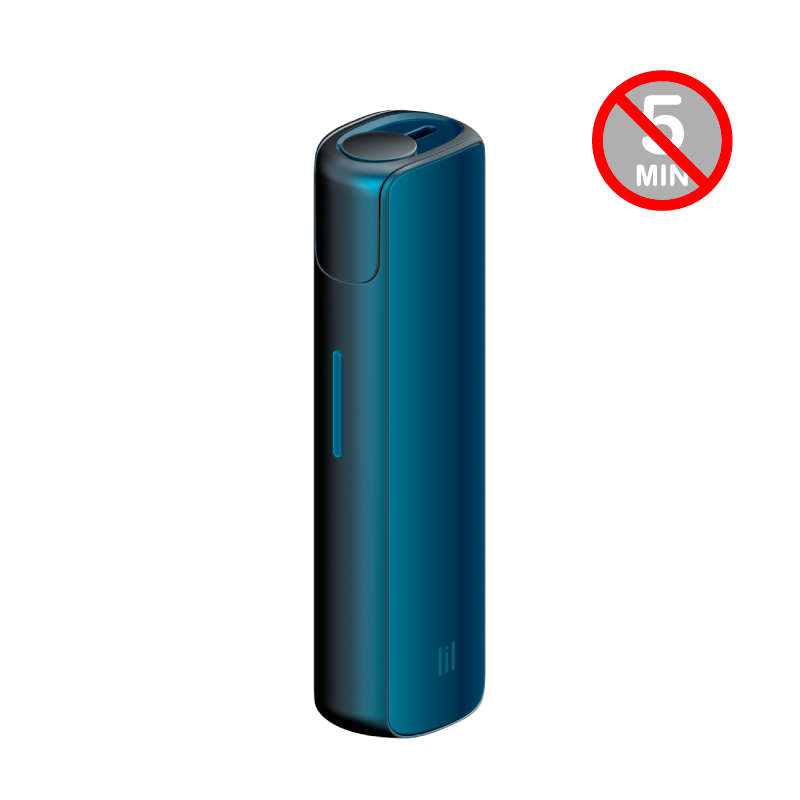
    3. THERMAL CLEANING: Press the button 5 times / within 2 sec. The status LED will blink with orange color for 90 seconds, indicating thermal cleaning. (After thermal cleaning, let the device cool down for more than 5 minutes before moving to next step)
    4. CLEANING: Clean the device with the Dual Cleaner provided in the kit. (Please make sure to turn off the device before cleaning.  Don't clean the device right after device heating or thermal cleaning. The cleaning tools can be melted and stick to the heater. Please clean the device after the device cools down)

    Further considerations for agents only

    * If the device comes into contact with water or if other types of liquid are used for cleaning and get into the device, it may cause device malfunction. If liquid got into the device due to the consumer's fault, it is not subject to warranty and the device will not be replaced.

After these steps, is the lil SOLID 2.0 working properly?
YES NO

Thank You

FINISH

We are very sorry that you are having issues with your device

Do you want to proceed to the eligibility check?

Do you want to proceed to eligibility check?

Click “Start” and login, select or add the correct device, and proceed with diagnostics.

START

We are very sorry that you are having issues with your device

    Let’s try the following steps:

    1. If green light on LED keeps blinking and does not stop, connect your device to an adaptor and disconnect it (separate the device from adaptor), then it will come back to normal state.
    2. RESET: press the button for 8 seconds. Keep pressing the button even if the device vibrates after 2 seconds, the RESET is confirmed when the State LED blinks twice in red, orange, ice blue and blue, sequentially.

    When charging the device, please only use the adaptor and cable designed for lil device in the kit. If different adaptor and cable are used for charging, it may cause charging malfunction. Clean the charging port (where the cable is plugged in). 
    Further considerations

    •       If the device comes into contact with water or if other types of liquid are used for cleaning and get into the device, it may cause device malfunction. If liquid got into the device due to the consumer's fault, it is not subject to warranty and the device will not be replaced.

After these steps, is your lil SOLID 2.0 working properly?
YES NO

Thank You

FINISH

We are very sorry that you are having issues with your device

Do you want to proceed to the eligibility check?

Do you want to proceed to eligibility check?

Click “Start” and login, select or add the correct device, and proceed with diagnostics.

START

Thank You

FINISH

Great

Enjoy using your LIL

DONE

These products are not risk-free and provide nicotine, which is addictive. Only for use by adults who would otherwise continue to smoke or use other nicotine products.

  1. Home
  2. S-MONO-21_GLOBAL

Useful Links

  • Check our locations
  • News
  • Referral Program
  • Go to PMI.com

Customer Care

  • Contact Us
  • FAQ

Follow us

  • Instagram
  • Facebook
  • Telegram

Language

© 2025 Philip Morris (Malaysia) Sdn Bhd - 199301023745 - All rights reserved.

  • Privacy Notice
  • Terms of Use
  • Cookie Preferences
  • Company Information
  • Good Conversion Practices
  • English
  • Bahasa Melayu

Tobacco heating device. Not a vape device. Enter your month and year of birth to confirm that you are 18 years old or over and a smoker.

IQOS always heats, never burns.

Please select your month of birth
Please select your year of birth

Are you over 18 years old, a nicotine product user and living in Malaysia?

The website contains information about Philip Morris International smoke-free products, which are exclusively for adults in Malaysia who would otherwise continue to use other nicotine products. Smoke-free products are not an alternative to quitting and are not designed as cessation aids. They are not risk free. They contain nicotine, which is addictive. Only for use by adults. Please visit important information page for further risk information. By continuing to use the website, you confirm that you have read and accepted our Terms of Use and Privacy Notice.

Country redirect

IQOS

Please note this site is intended for Malaysia. In order to ensure compliance with local legal requirement, we need to redirect you to your country of origin.

CONTINUE Arrow right