
Troubleshooting Your IQOS ILUMA i
Find a solution for your device issues.


Number “0” flashing on the touch screen
Is number “0” flashing on the touch screen of your IQOS ILUMA i holder 3 times? Then your holder is discharged, and here is how to charge your holder:
- Place the holder back inside the IQOS ILUMA i pocket charger. Ensure it is placed correctly and close the pocket charger door.
- Make sure your pocket charger is charged enough to fully charge the holder.
- Leave the holder to charge, until at least one holder’s status light turns solid white on the pocket charger.
Lights on holder not turning ON
After swiping up, are your holder lights not turning ON? Here’s what to do to resolve the no lights issue on the holder:
- Check whether the pocket charger is charged for at least one experience. To identify this, at least one solid white light will turn on.
- Clean the contacts between the holder and the pocket charger.
- Place the holder inside the pocket charger- ensure it is placed correctly- and leave the holder until at least one of the holder lights on pocket charger turns solid white.
- Remove the holder from the pocket charger and swipe up the entire screen up.
Pause mode is unavailable
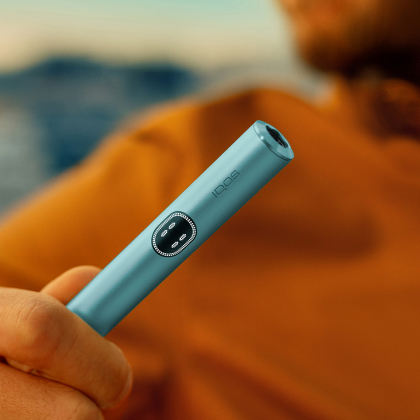
The touch screen shows whether Pause mode is available or not, as Pause mode is illustrated by 2 short vertical lines at the top of the touch screen.
Pause mode can be used once in the first or second consecutive use in Performance mode and can be activated within the first 3 minutes, or 8 puffs of the experience.
1. Swipe down across the entire touch screen to activate the Pause mode.
- If the swiping motion does not cover the entire length of the touch screen, pause mode will not be activated.
2. Resume the experience, swipe UP across the entire touch screen and wait for the preheating.
- Pause mode can last up to 8 minutes. If experience is not resumed, the holder will automatically switch off.
Pocket charger status light blinking red.
Pocket charger status light blinking red.
1. The charging ports might need to be cleaned.
Clean the charging ports on both the Pocket Charger and the charging cable.
2. In case you were not in the process of charging your device might need a RESET.
Let's Perform a RESET:
Place the holder in the Pocket Charger. Ensure to place it correctly.
Press and hold down the ON/OFF button on the Pocket Charger for 10 second.
Please note: If your IQOS ILUMA i is turned OFF at the time of RESET; when pressing the button, the lights will be shown after 4 seconds to indicate the device will turn ON or OFF. In order to perform the RESET correctly, it is important to keep the button continuously pressed for 10 seconds, until reset is completed.
.png)
IQOS ILUMA iTM is used exclusively with TEREATM tobacco sticks.
Do not ingest or disassemble TEREATM sticks. This product contains a sharp metal part which can cause serious injury if swallowed. Keep out of reach of children.


Phone
Call an IQOS representative
Give us a call
